
Last updated Dec 25, 2025.
The Ultimate Guide to Z-Image-Turbo: Supercharge Your Image Generation with the Fastest Qubrid’s AI Model Inferencing API
4 minutes read

Qubrid Team

The landscape of AI image generation has just shifted. With the release of Z-Image-Turbo by Alibaba’s Tongyi-MAI team, developers now have access to a model that combines the photorealistic prompt adherence of Flux.1 with the versatility of Stable Diffusion XL - all at lightning speeds.
For developers and creators looking to integrate this powerhouse into their apps without the headache of managing GPU infrastructure, Qubrid AI offers the perfect solution. We provide the cheapest inferencing on the market, instantly accessible via our robust Model Studio API.
In this tutorial, we’ll dive into why Z-Image-Turbo is a game-changer and walk you through exactly how to use it on Qubrid AI - from getting your free $1 credit to running your first Python API call.
Why Z-Image-Turbo?
Z-Image-Turbo isn’t just another model; it is a 6-billion-parameter beast designed for efficiency. By utilizing a “distilled” architecture, it reduces the generation process to just 8 steps (NFEs), allowing for sub-second inference on enterprise GPUs while maintaining stunning quality.
Key Features for Developers
Insane Speed: Generates 2048x2048 images in seconds, making it ideal for real-time applications.
Photorealism & Text: Excels at rendering realistic skin textures and complex bilingual text (English & Chinese).
Efficiency: State-of-the-art performance that rivals closed-source models, optimized for low latency.
Step 1: Get Started on Qubrid AI (Free $1 Credit)
Qubrid AI is built for developers who need Fast, Reliable, and Easy access to SOTA models. We simplify the entire stack so you can focus on building.
Sign Up: Head over to the Qubrid AI Platform and create an account.
Claim Credit: New users instantly get $1 in free credit, which is enough for hundreds of generations thanks to our ultra-low pricing.
Explore: Navigate to the Model Studio to see our full catalog of cutting-edge models.
Step 2: Generate Your API Key
To start building, you need secure access to the Qubrid API.
Log in or Create a brand new Qubrid account
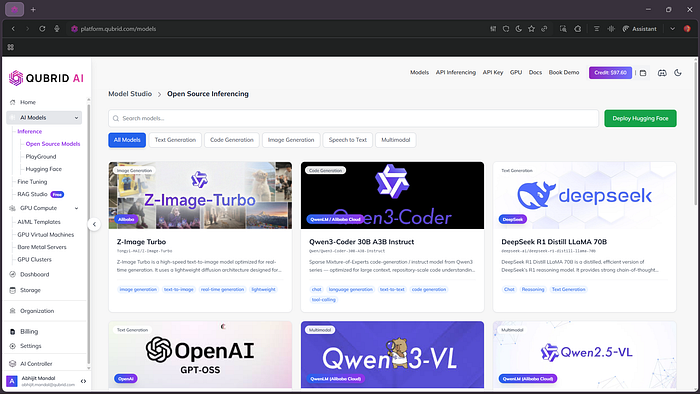
Click on the API Key from the Top NavBar.
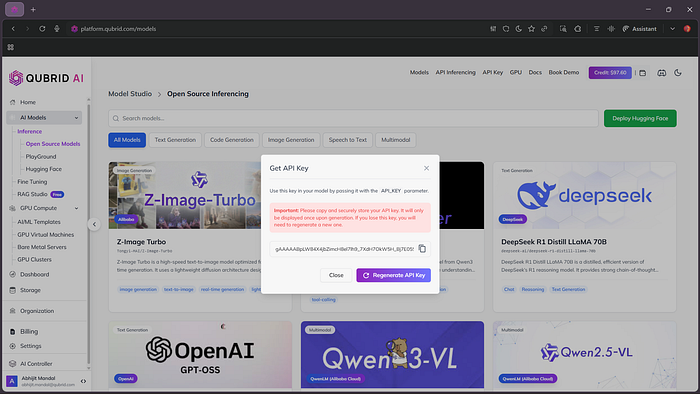
Copy the key immediately and store it safely.
Step 3: Try it in the Playground
Before writing code, test your prompts in our interactive Playground to see the model’s capabilities firsthand.
Go to:
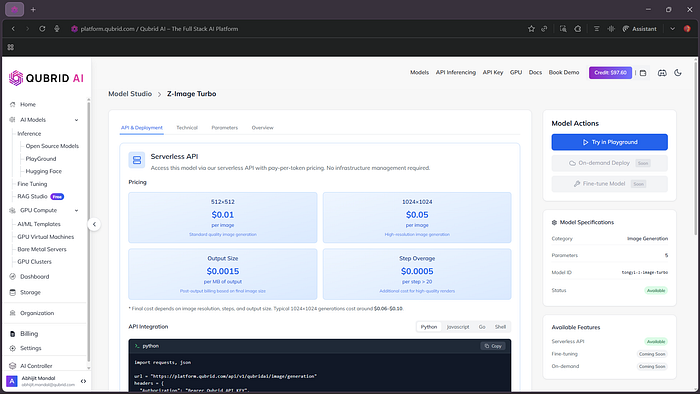
Experiment: Try complex prompts like “Cyberpunk street food vendor, neon lights, 4k resolution, highly detailed” to see the model’s prompt adherence.
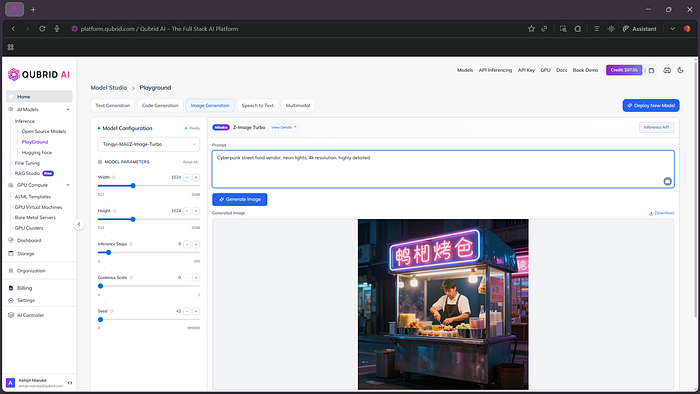
View Code: Once you’re happy with the results, look for the “Inference API” button in the interface to get a ready-to-use snippet for your specific configuration.
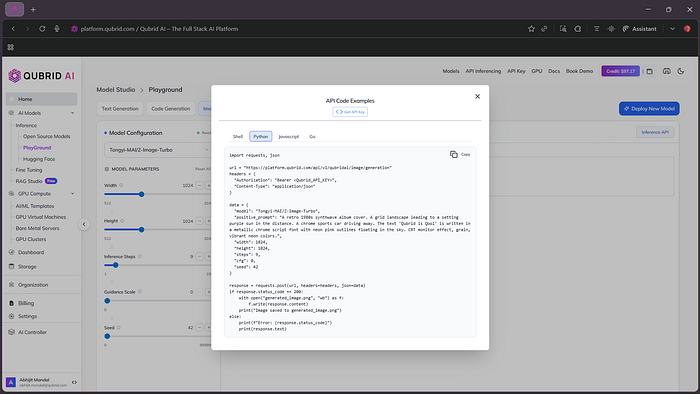
Step 4: Integrate via Python API </>
Ready to build? Integrating Z-Image-Turbo into your Python application is seamless with Qubrid AI. Below is a standard implementation pattern for our Model API.
import requests
url = "https://platform.qubrid.com/api/v1/qubridai/image/generation"
headers = {
    "Authorization": "Bearer ",
    "Content-Type": "application/json",
}

data = {
    "model": "Tongyi-MAI/Z-Image-Turbo",
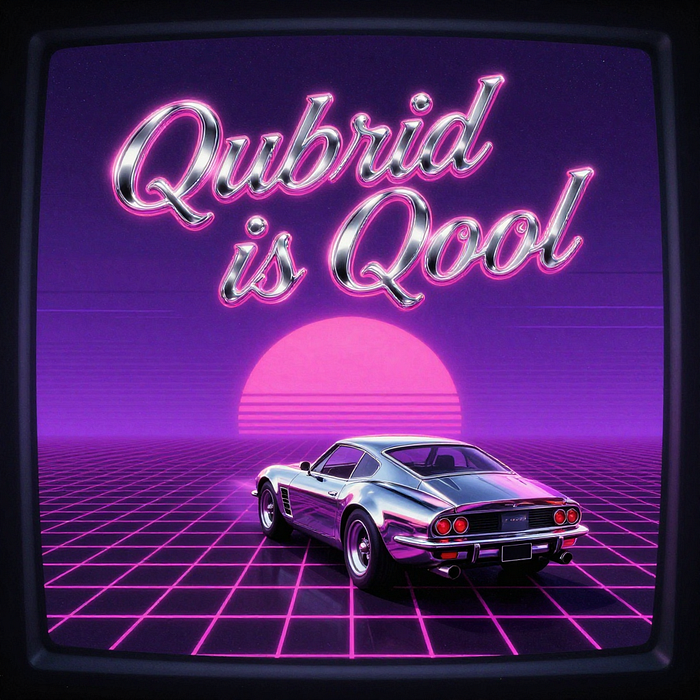
    "positive_prompt": "A retro 1980s synthwave album cover. A grid landscape leading to a setting purple sun in the distance. A chrome sports car driving away. The text 'Qubrid is Qool' is written in a metallic chrome script font with neon pink outlines floating in the sky. CRT monitor effect, grain, vibrant neon colors.",
    "width": 1024,
    "height": 1024,
    "steps": 9,
    "cfg": 0.0,
    "seed": 42,
}

response = requests.post(url, headers=headers, json=data)
if response.status_code == 200:
    with open("generated_image.png", "wb") as f:
        f.write(response.content)
    print("Image saved to generated_image.png")
else:
    print(f"Error: {response.status_code}")
    print(response.text)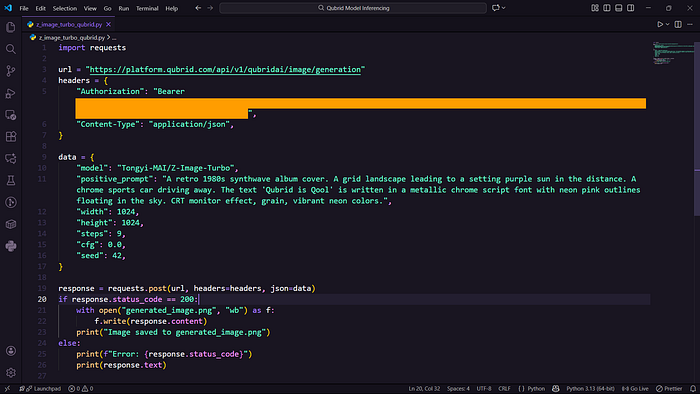
Once you run this code successfully, you should see the image getting generated and saved as generated_image.png
Qubrid API in Action
To showcase the true potential of Z-Image-Turbo*, we pushed its capabilities with a diverse set of prompts and configurations. Take a look at what we achieved:*
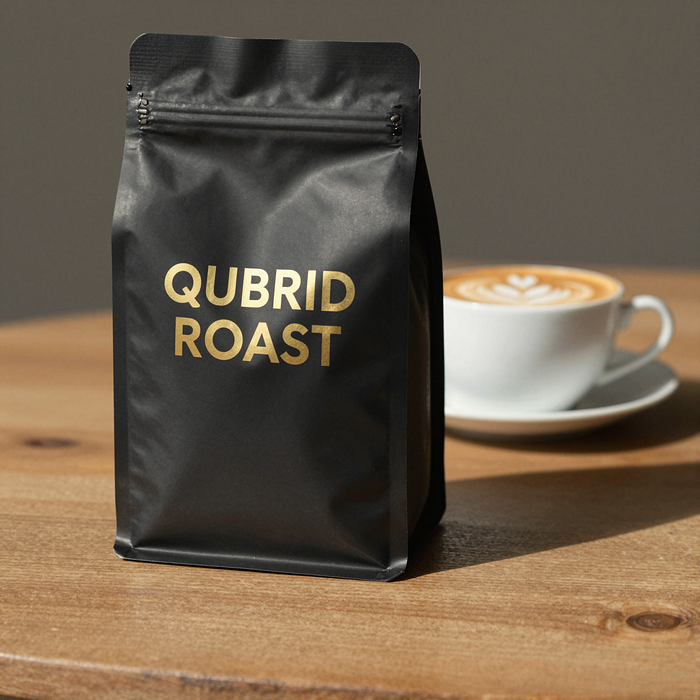
Typography & Branding Test
A professional product photography shot of a matte black coffee bag with QUBRID ROAST in gold foil.
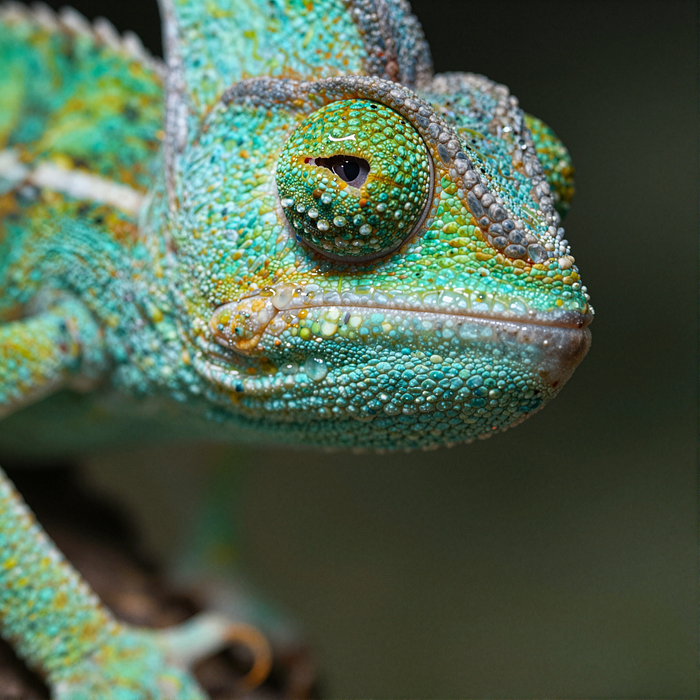
Hyper-Realistic Texture Test
Extreme macro shot of a chameleon’s eye.
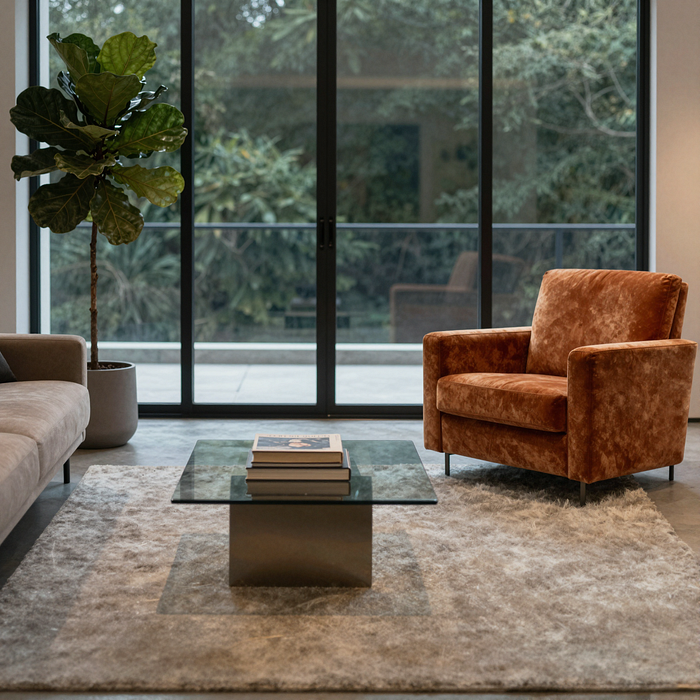
Spatial Adherence Test
Symmetrical modern living room.
Style Versatility Test
Ukiyo-e samurai vs mecha robot.

Lighting & Atmosphere Test
Cyberpunk street vendor.

Creativity Test
Watercolor children’s book cover.

Synthwave Test
Retro synthwave album cover.
Why Choose Qubrid?
☑️ Lowest Prices but Fastest Inferencing
☑️ Dev-First Experience - ComfyUI Templates, APIs, GPU compute
☑️ Zero Infrastructure - no GPU setup needed
Start generating with Z-Image-Turbo on Qubrid today!