Last updated Sep 3, 2026.
Muse Glimmer API: The Complete Developer Guide
9 minutes read

Qubrid Team
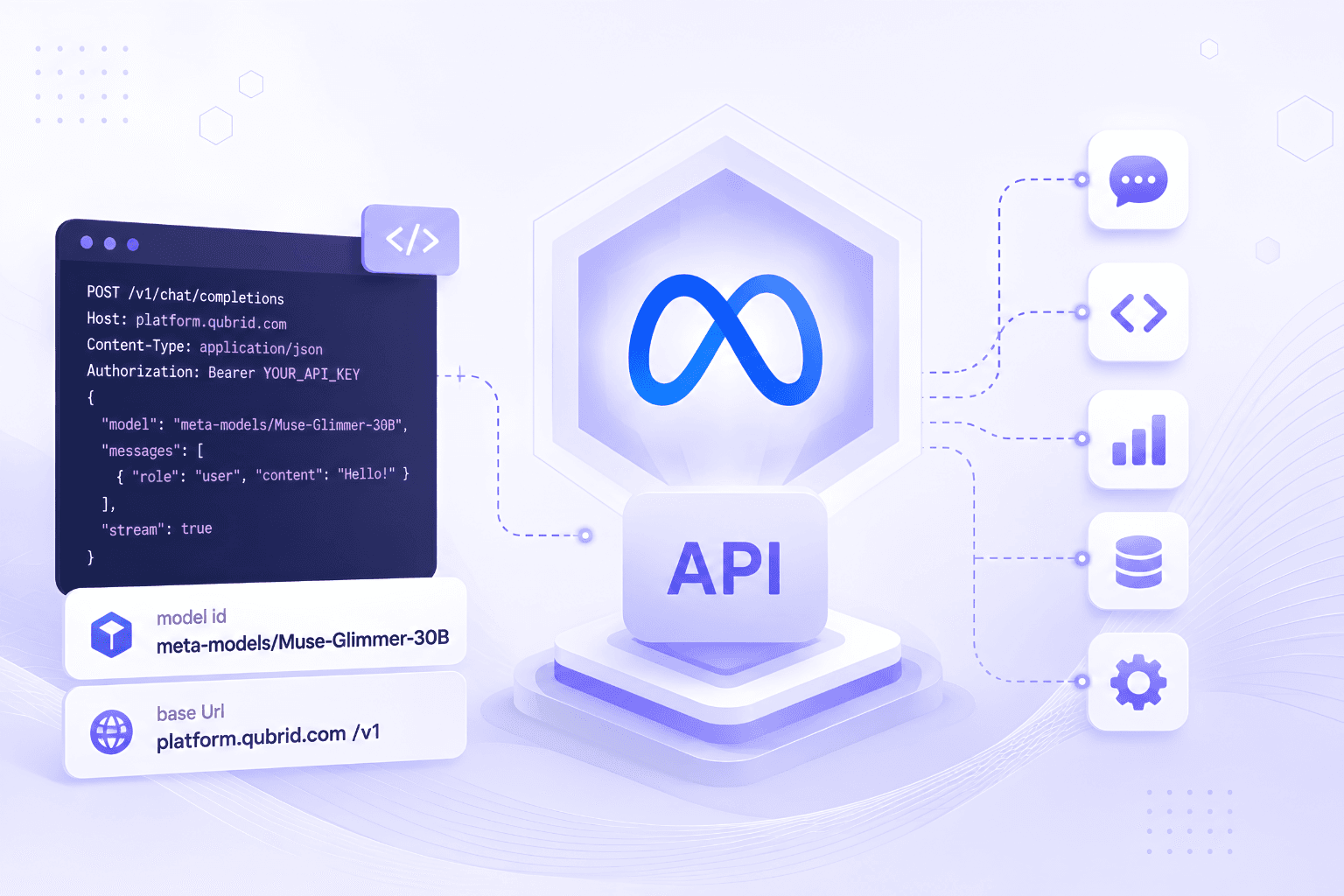
Quick answer: The Muse Glimmer API is live on Qubrid AI at https://platform.qubrid.com/v1 with the model string meta-models/Muse-Glimmer-30B. It is OpenAI-compatible, so an existing integration needs three changes: base URL, API key, model string. One thing catches everyone out: reasoning strength is set with a line in the system prompt, not with an API parameter.
What you are calling
Meta Muse Glimmer is a 30-billion-parameter dense multimodal model released under Apache 2.0 in August 2026. As the Meta Superintelligence Lab documents on the model card, it was distilled from Muse Spark and purpose-built for autonomous agentic tasks, integrating multi-step reasoning, reliable tool use, multimodal understanding and failure recovery into one model.
Property | Value |
|---|---|
Model string |
|
Architecture | Dense causal transformer with perception encoder, 52 layers |
Parameters | ~29.6B including the vision encoder |
Attention | [Local, Local, Local, Global] repeating, 2,048 sliding window |
Context length | 131,072+ tokens |
Modalities | Text and image in, text out |
Reasoning levels | low / medium / high / xhigh, set in the system prompt |
Knowledge cutoff | January 4, 2026 |
License | Apache 2.0 |
Basic setup
from openai import OpenAI

# Initialize the OpenAI client with Qubrid base URL
client = OpenAI(
    base_url="https://platform.qubrid.com/v1",
    api_key="QUBRID_API_KEY",
)

response = client.chat.completions.create(
    # Must match the exact model ID from the docs - variations will cause errors.
    model="meta-models/Muse-Glimmer-30B",
    messages=[
        {
            "role": "user",
            "content": "Explain the main benefits of using a chat completion API for text generation."
        }
    ],
    max_tokens=4096,
    temperature=1,
    top_p=1,
    stream=False
)

print(response.choices[0].message.content)
The model string is meta-models/Muse-Glimmer-30B exactly as written. Case and the organisation prefix both matter.
Adding reasoning strength
The call above runs at the model's default behaviour. To control reasoning depth, add a system message:
response = client.chat.completions.create(
    model="meta-models/Muse-Glimmer-30B",
    messages=[
        {"role": "system", "content": "Reasoning strength: high"},
        {"role": "user", "content": "..."},
    ],
    max_tokens=4096,
    temperature=1,
    top_p=1,
)
Reasoning strength lives in the system prompt
This is the single most important integration detail on this model, and it works differently from every major model family.
Muse Glimmer supports four reasoning levels: low, medium, high, xhigh. Meta recommends high or xhigh for complex problem solving, coding and agentic tasks.
It is not an API parameter. Per the model card, reasoning strength is defined as part of the system prompt in the form Reasoning strength: <value>.
If you are migrating from a model that uses reasoning_effort or a chat_template_kwargs block, passing one here does nothing at all. No error is raised. The request succeeds, the model runs at its default behaviour, and you conclude the setting is broken.
messages = [
    {"role": "system", "content": "Reasoning strength: high"},
    {"role": "user", "content": "..."},
]
You can combine it with your own instructions in the same system message:
SYSTEM = """Reasoning strength: high

You are a code review assistant. Return findings as JSON matching the schema provided."""
What to set:
Workload | Reasoning strength |
|---|---|
Classification, routing, extraction, short summarisation |
|
Chat, RAG answering, simple lookups |
|
Coding, tool use, agentic workflows |
|
Hard multi-step problems, long-horizon planning |
|
There is a useful side effect. Because the directive sits at the very front of your context, it forms part of the stable prefix that earns implicit cache hits at $0.03 per 1M tokens rather than $0.25. Keep it first and keep variable content last.
Sampling parameters
Meta publishes one recommended configuration:
Parameter | Value |
|---|---|
temperature | 1.0 |
top_p | 0.95 |
top_k | 64 |
The Qubrid quickstart uses top_p=1, a fine general-purpose starting point. Meta's published values are worth A/B testing against it when you tune for a specific workload. top_k is not a standard OpenAI parameter, so it goes through extra_body:
response = client.chat.completions.create(
    model="meta-models/Muse-Glimmer-30B",
    messages=messages,
    temperature=1.0,
    top_p=0.95,
    max_tokens=4096,
    extra_body={"top_k": 64},
)
Framework defaults tuned for other models frequently underperform here. Set these explicitly.
Vision input
Muse Glimmer ships a dedicated perception encoder, a ~1.8B parameter ViT-G/14 with 50 layers and patch size 14, documented in its own paper. It accepts interleaved text and images, up to 4,096 visual tokens per image.
messages = [
    {"role": "system", "content": "Reasoning strength: high"},
    {
        "role": "user",
        "content": [
            {
                "type": "image_url",
                "image_url": {"url": "https://your-domain.com/dashboard-screenshot.png"}
            },
            {
                "type": "text",
                "text": "Which metric is trending down, and by how much?"
            }
        ]
    }
]

response = client.chat.completions.create(
    model="meta-models/Muse-Glimmer-30B",
    messages=messages,
    max_tokens=2048,
)
For agentic work this is the point of the model: screenshots, charts, dashboards, error dialogs and scanned documents are how an agent perceives the systems it operates.
Two hard limits. Video is not supported as a modality; the model card states video input is processed as individual frames, so sample frames yourself and pass them as images. Audio input and output are explicitly out of scope.
Tool calling
Tool use is where Muse Glimmer is strongest, so this is the code path that matters most. Standard OpenAI syntax applies.
tools = [{
    "type": "function",
    "function": {
        "name": "search_documents",
        "description": "Search the internal document store",
        "parameters": {
            "type": "object",
            "properties": {
                "query": {"type": "string"},
                "limit": {"type": "integer", "default": 10},
            },
            "required": ["query"],
        },
    },
}]

response = client.chat.completions.create(
    model="meta-models/Muse-Glimmer-30B",
    messages=[
        {"role": "system", "content": "Reasoning strength: high"},
        {"role": "user", "content": "Find our Q3 retention analysis and summarise the top three findings."},
    ],
    tools=tools,
    tool_choice="auto",
    temperature=1.0,
    top_p=0.95,
    max_tokens=4096,
)
One design detail worth building around: Meta trained specifically for failure recovery, so that when a tool call fails or returns an unexpected result the model diagnoses the error and retries rather than halting. That only works if it can see what went wrong. Return descriptive error strings from your tools rather than bare failure codes, and the model can act on them.
The model card also notes compatibility with OpenClaw, Hermes Agent and other agentic orchestration patterns.
Streaming
stream = client.chat.completions.create(
    model="meta-models/Muse-Glimmer-30B",
    messages=messages,
    temperature=1.0,
    top_p=0.95,
    stream=True,
    stream_options={"include_usage": True},
)

for chunk in stream:
    if not chunk.choices:
        if chunk.usage:
            print("Usage:", chunk.usage)
        continue
    delta = chunk.choices[0].delta
    if getattr(delta, "content", None):
        print(delta.content, end="", flush=True)
Streaming suits this model particularly well. Artificial Analysis measured a time to first token of 0.79 seconds against a class median of 2.04, roughly 2.6x better than typical, so the first token arrives fast enough for interactive use.
Structured output
The model is listed as suitable for LLM-as-a-judge evaluation and synthetic data generation, both of which need reliable structured output. Put the schema in the system prompt alongside the reasoning directive:
SYSTEM = """Reasoning strength: medium

Return only valid JSON matching this schema, with no prose or markdown fences:
{"sentiment": "positive|negative|neutral", "confidence": 0.0-1.0, "themes": ["string"]}"""
For extraction and classification, low or medium is usually enough. Reserve high and xhigh for work that genuinely needs deliberation.
Migrating an existing integration
Three changes to get running:
Base URL to
https://platform.qubrid.com/v1API key to your Qubrid key
Model string to
meta-models/Muse-Glimmer-30B
Then four things before you scale:
Move reasoning control into the system prompt. Any
reasoning_effortparameter you are carrying over will be silently ignored.Set sampling explicitly to temperature 1.0, top_p 0.95 and top_k 64 via
extra_body.Order your prompt for cache hits: reasoning directive, system instructions, tool schemas, few-shot examples, persistent documents, conversation, current message. Cached input bills at $0.03 against $0.25.
Convert any video handling to frame sampling, since video is not a supported modality.
Troubleshooting
Reasoning strength appears to do nothing. It is a system prompt line, not a parameter. Use {"role": "system", "content": "Reasoning strength: high"}.
Model not found. The string is meta-models/Muse-Glimmer-30B, with the organisation prefix and exact casing.
top_k rejected by the SDK. Not a standard OpenAI parameter. Pass it via extra_body={"top_k": 64}.
Outputs feel unfocused or repetitive. Check sampling against Meta's recommendation. Defaults inherited from another model are the usual cause.
Video input rejected or misread. Not a supported modality. Sample frames and send them as images.
Cache hit rate near zero. Something variable is sitting ahead of your reasoning directive and system instructions. Move timestamps and session IDs to the end of the prompt.
Agent halts on a tool error instead of recovering. The model is trained to diagnose and retry, but only from a descriptive error message. Bare failure codes give it nothing to work with.
Long-context quality degrading. The model supports 131,072+ tokens, but three of every four layers attend only within a 2,048-token sliding window. Put the material that matters most where the model can reach it rather than assuming uniform attention across a very long prompt.
Frequently asked questions
What is the Muse Glimmer API endpoint? https://platform.qubrid.com/v1 on Qubrid AI, with model string meta-models/Muse-Glimmer-30B. It is OpenAI-compatible, so any OpenAI SDK works unchanged.
How do I set reasoning strength on Muse Glimmer? Add the line Reasoning strength: high to your system prompt. The four levels are low, medium, high and xhigh. It is not an API parameter.
What sampling parameters should I use with Muse Glimmer? Temperature 1.0, top_p 0.95 and top_k 64, per Meta's model card. Pass top_k through extra_body.
Does the Muse Glimmer API support images? Yes, up to 4,096 visual tokens per image through a dedicated ViT-G/14 perception encoder. Video and audio are not supported.
Does Muse Glimmer support tool calling? Yes, using standard OpenAI tool syntax, and it is the model's strongest capability. It is also trained for failure recovery, diagnosing and retrying failed tool calls rather than halting.
What is Muse Glimmer's context length? 131,072 tokens or more. Note that three of every four layers use a 2,048-token sliding window, so attention is not uniform across the full context.
How fast is the Muse Glimmer API? Artificial Analysis measured 108.9 tokens per second and a 0.79-second time to first token, against class medians of 100.9 and 2.04.
How much does the Muse Glimmer API cost? $0.25 per 1M input tokens, $1.05 per 1M output, and $0.03 per 1M cached input on Qubrid AI.
Get your API key
meta-models/Muse-Glimmer-30B is live on Qubrid AI.
Generate an API key at platform.qubrid.com
Point your OpenAI SDK at
https://platform.qubrid.com/v1Set
model="meta-models/Muse-Glimmer-30B"Put
Reasoning strength: highin your system prompt
Qubrid AI serves 60+ open-source models behind one OpenAI-compatible API, alongside on-demand GPU compute and on-premises appliances.