
Last updated Oct 27, 2025.
Top 5 Practical Use Cases of Qubrid RAG
3 minutes read

Qubrid Team

Learn about the different use cases of Qubrid RAG - a flexible, multimodal assistant that works with your documents, images, and research papers to deliver instant, contextual, and actionable insights.
Financial & Operational Dashboards - Summarize and Analyze Instantly
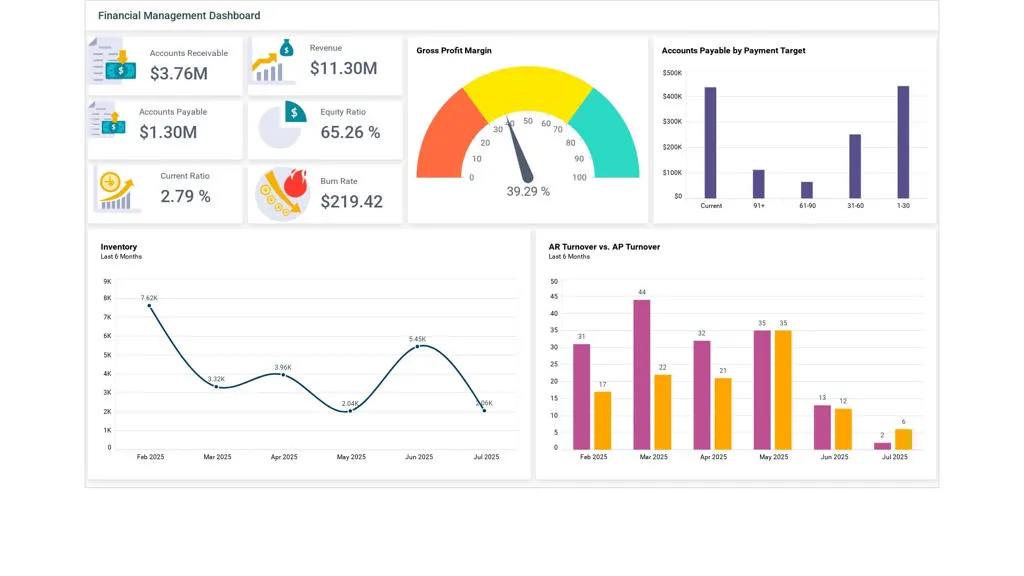
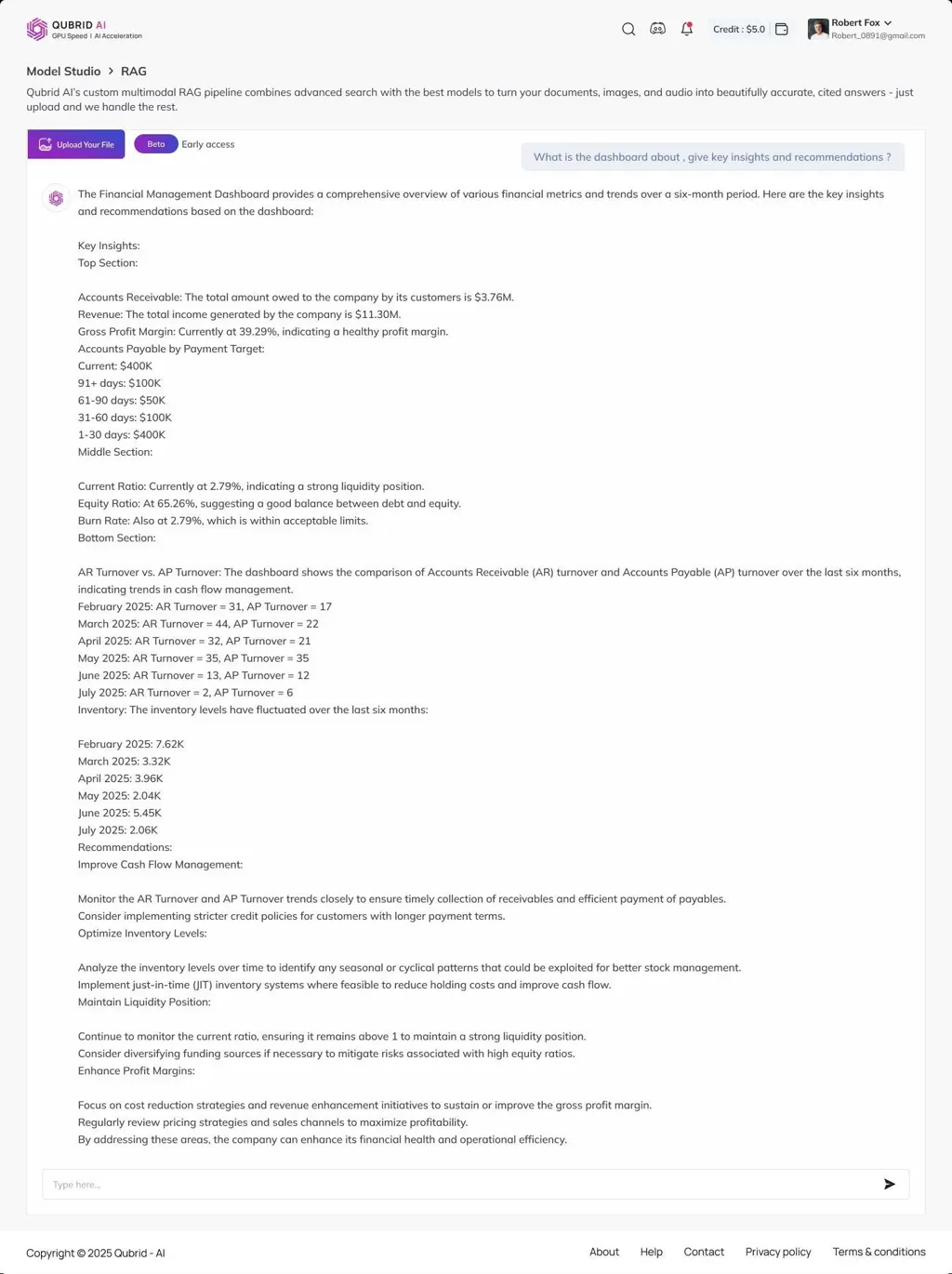
Use Case: Upload a financial, operational, or performance dashboard and let Qubrid RAG summarize trends, extract KPIs, and provide recommendations.
Instead of manually analyzing charts, tables, and metrics, the AI interprets the dashboard and generates clear, actionable summaries.
Example: Financial Management Dashboard
Ask:
“What is the dashboard about? Give key insights and recommendations.”
Researcher’s Guide - Upload & Extract Research Paper Insights
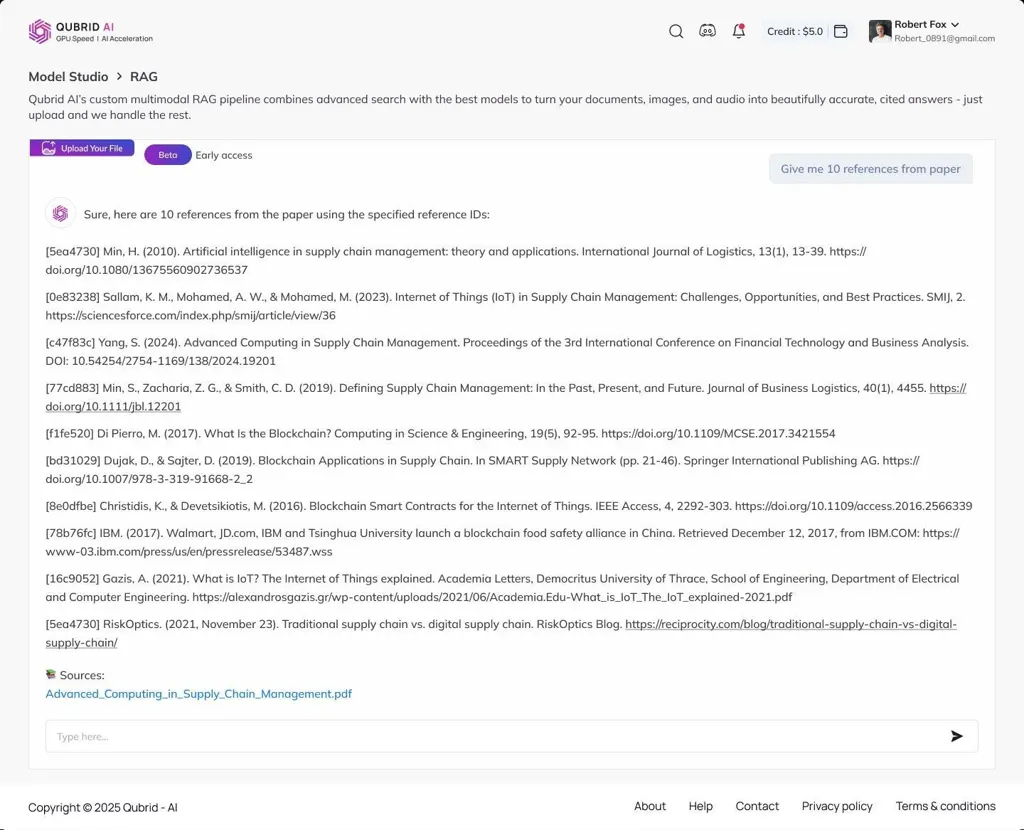
Use Case: Upload academic or research papers and get a detailed breakdown - abstract, methodology, key findings, and potential applications.
This is perfect for:
Quickly scanning multiple papers without reading them end-to-end
Extracting citations and references
Getting AI-generated summaries for literature reviews
Example: Upload a paper on deep learning and ask:
What is the paper about?
What drawbacks does it include?
Give me 10 references from the paper.
⏳ Time-Saving Advantage: Many papers don’t have a dedicated limitations section. Qubrid RAG automatically identifies drawbacks and summarizes them - saving hours of manual reading.
3️⃣ Study Material to Code Snippets & Explanations
Use Case: Turn textbooks, PDFs, or notes into executable code and explanations.
You can:
Upload Python, Java, or C++ tutorials and ask for working code
Request the AI to explain code line-by-line
Learn interactively by chatting instead of passively reading
Example: Upload a data science PDF → Ask:
“Give me the code snippet to create a React Agent with LangChain and Vertex AI.”
Qubrid RAG returns the full code with step-by-step explanation.

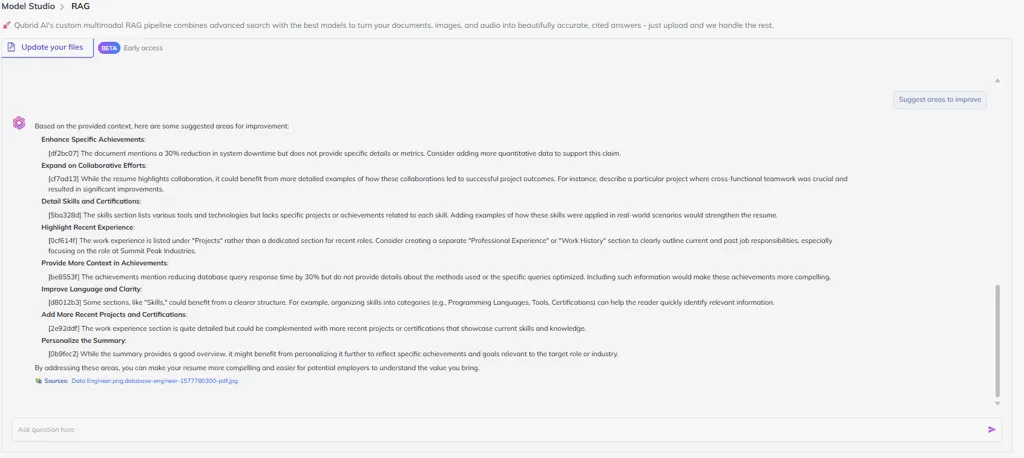
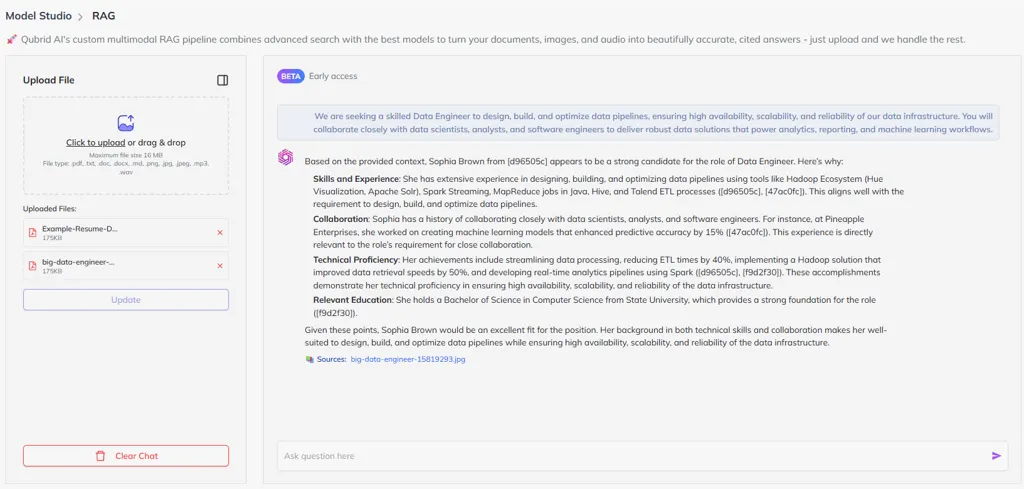
4️⃣ Resume Analysis & Job Fit Evaluation
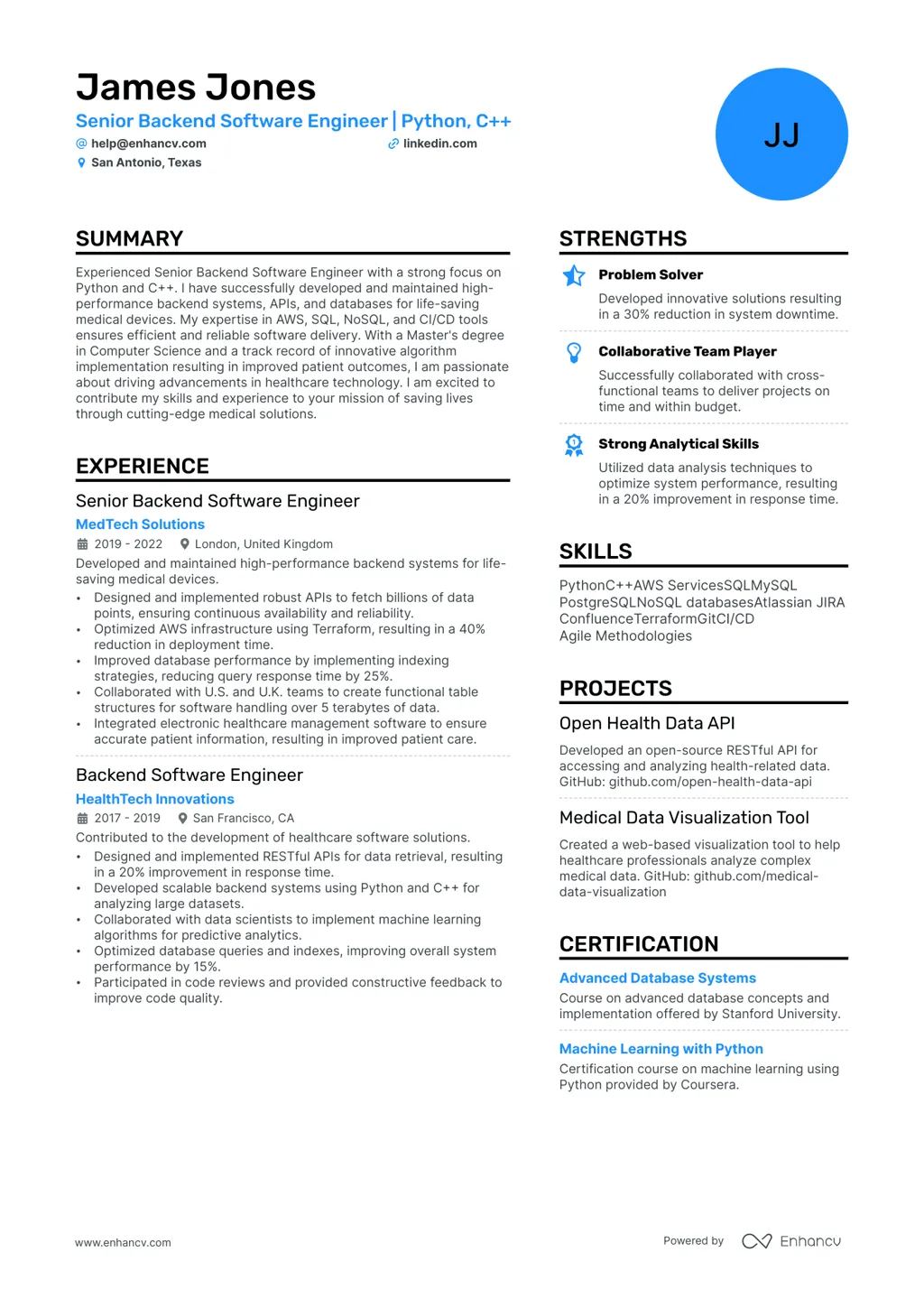
Use Case: Upload your resume and a job description, and let Qubrid RAG:
Compare job requirements vs. resume keywords
Identify missing skills
Suggest which version fits best if you upload multiple resumes
Example Prompt:
“Summarize the document, compare the documents, and list the key skills.”
Qubrid RAG generates ranked matches, improvement suggestions, and skill gap summaries.

Resume Analysis Output 1
Resume Analysis Output 2
5️⃣ Audio Learning - Upload Lectures & Learn by Asking Questions
Use Case: Upload a lecture or video and turn it into an interactive Q&A-based learning session.
You can:
Upload a lecture recording and ask for key summaries
Generate quiz questions for self-evaluation
Ask follow-up prompts like:
“Give me key points to remember”
“Give me examples of worker node components”
“Generate practice questions on this topic”
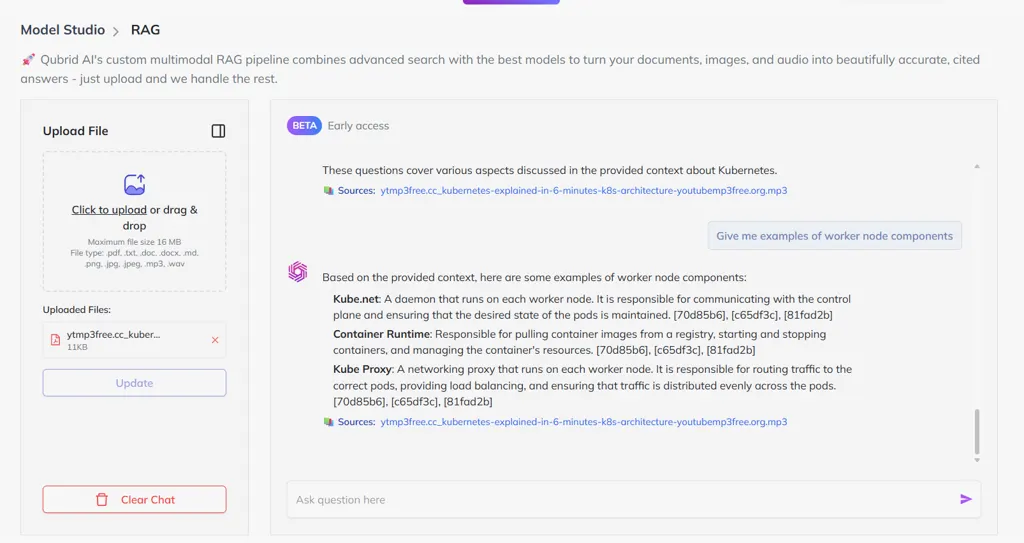
Lecture Input

Quiz Output 1
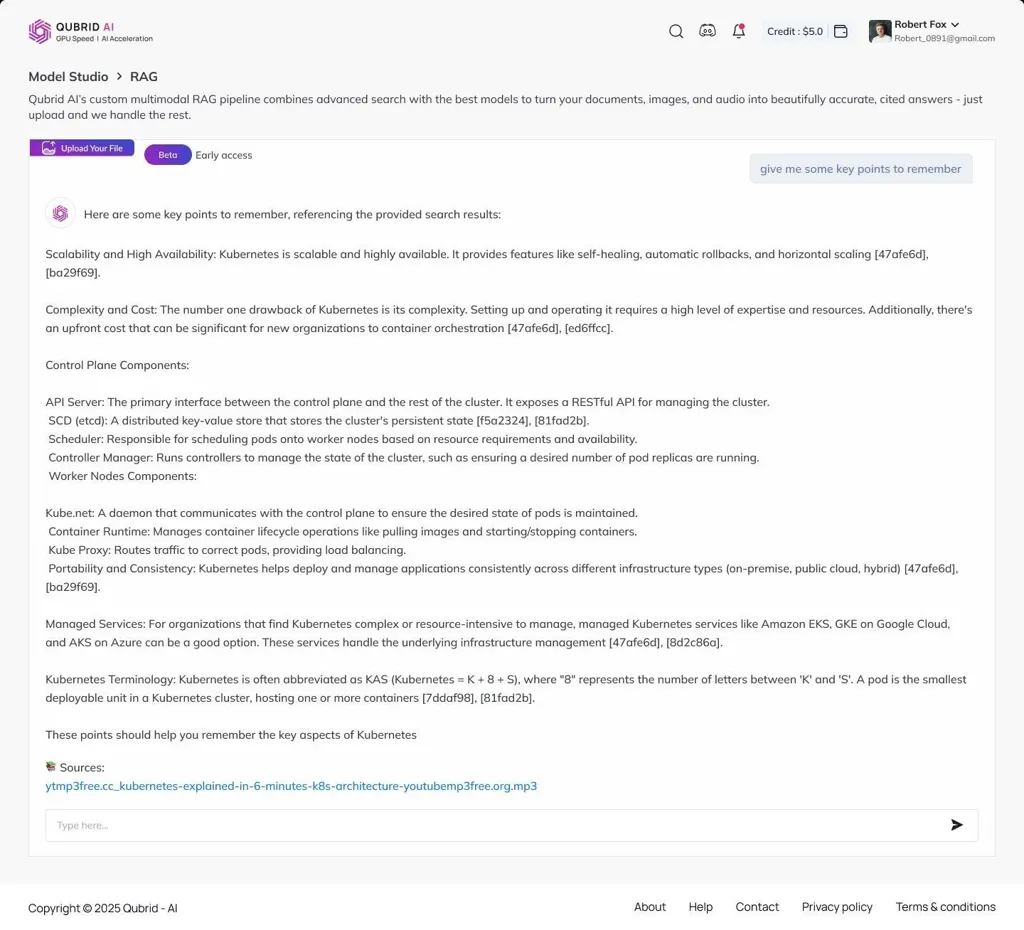
Quiz Output 2
This transforms passive listening into active learning - you don’t just consume the lecture; you interact with it.
💡 Why Qubrid RAG Stands Out
Multimodal: Handles PDFs, images, text, and structured data
Context-Aware: Answers based on uploaded content, not generic prompts
Action-Oriented: Provides clear, ready-to-use results
Time-Saving: Reduces hours of reading into seconds
Final Thoughts
From financial dashboards to resume-job matching, Qubrid RAG is transforming how professionals, researchers, and learners interact with data.
By combining retrieval and reasoning, it bridges the gap between raw data and actionable intelligence.
📌 Next Step: Try it yourself → Upload your first document to Qubrid RAG and see how it transforms your workflow.

